
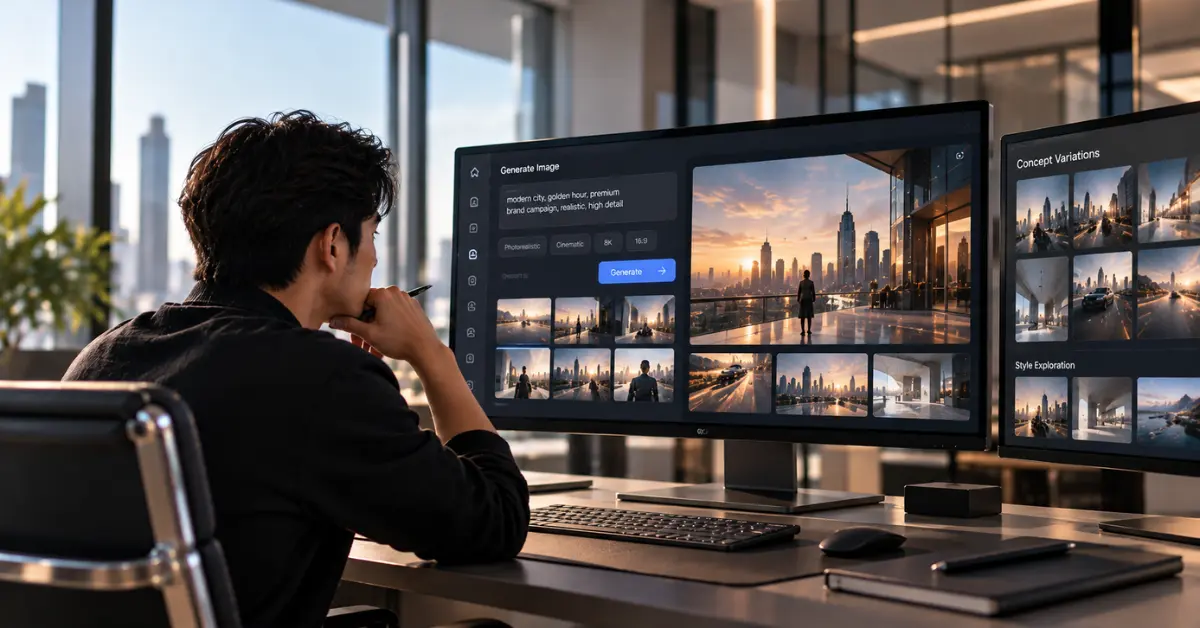
5 Ways to Use AIs to Create Images Before Production
GrowthOps Asia - 29 Oct 2026
Explore
Summary
- AI images help teams explore ideas before production.
- Clear briefs guide useful visual exploration and revisions.
- Human checks support accuracy, consistency, and responsible use.
AI now supports creative teams as they explore visual concepts before committing to full production. In 2026, the Interactive Advertising Bureau reported that 83% of surveyed ad executives said their companies had deployed AI in the creative process, highlighting its growing role in campaign development. Teams can use AIs to create images from written briefs, producing moodboards, early design concepts, and storyboards for review with stakeholders.
Effective image generation starts with a clear objective, a detailed creative brief, and practical criteria for assessing the results. For marketers and designers, these preliminary visuals can help compare creative directions, communicate ideas, and identify production requirements. Human reviewers must also assess the images for factual accuracy, consistency, and suitability before incorporating them into production plans.
What AI Tools Can Generate Images in 2026?
When choosing AIs to create images, compare how platforms interpret briefs, incorporate references, and support revisions. The following tools serve distinct needs during creative planning.
Tool | Pre-production use |
|---|---|
Concept generation and targeted edits | |
Moodboards and reference-led editing | |
Image creation and iterative refinement | |
Controlled adjustments to existing visuals | |
Photo enhancement and fictional avatars | |
Apparel-specific graphic concepts |
Choose a tool according to the intended output, editing controls, licensing terms, and production requirements.
How to Write an Effective AI Image Brief
A useful written brief defines the visual objective, audience, subject, intended format, and constraints. Specify the composition, lighting, colour palette, brand requirements, and any details that must remain accurate. Clear assessment criteria make it easier to evaluate different results consistently.
In 2026, Adobe found that 35% of creators said AI gave them more freedom to experiment before pitching ideas.
For example, a team preparing a fictional refillable bottle campaign might request three banner concepts, each with a different layout. To create image concepts, the prompt could read: “Show three digital banner compositions featuring the same unbranded bottle, a restrained colour palette, and clear space for a headline.”
The team can then compare message hierarchy, visual readability, and suitability for the intended format.
5 Ways to Use AI Images Before Production
A 2026 survey of more than 16,000 creators highlights the importance of refinement. Adobe’s Creators’ Toolkit Report states, “57% say their creative AI outputs typically require moderate or extensive editing before they're ready to share.”
1. Brainstorm and Visualise Creative Ideas With AI
Translate a campaign objective into competing visual directions.
Brief: Explore playful, minimalist, and editorial ideas for a fictional snack product.
Prompt: “Show three distinct moodboards with different colour palettes and compositions.”
Human check: Compare strategic relevance, variety, and production feasibility before choosing a direction.
2. Illustrate Research-Based Customer Personas
Use fictional portraits to communicate existing audience research.
Brief: Depict a documented customer persona shopping through a mobile application.
Prompt: “Illustrate a fictional adult browsing a shopping app in a neutral setting.”
Human check: Review stereotypes and unsupported assumptions. Interviews, surveys, and behavioural data should establish the persona’s characteristics.
3. Develop and Compare Visual Prototypes Before Production
Explore design hierarchy before producing final assets.
Brief: Develop three poster layouts for a fictional event.
Prompt: “Create minimalist, editorial, and geometric compositions with space for headlines and calls to action.”
Human check: Assess legibility, accessibility, and brand consistency. An approved layout can then guide design and production, both part of GrowthOps Asia’s Digital-First Creative Services.
4. Plan Campaign Scenes and Storyboards With AI
Map a narrative through draft frames.
Brief: Outline an opening, product interaction, and closing shot for a fictional beverage advertisement.
Prompt: “Create a three-panel storyboard with consistent packaging and surroundings.”
Human check: Review scene order, continuity, camera angles, and production feasibility.
5. Experiment With Lighting, Backgrounds, and Composition
Compare photographic treatments before arranging a shoot.
Brief: Explore studio, bathroom, and close-up settings for a fictional skincare bottle.
Prompt: “Show the same unbranded bottle under three lighting and background treatments.”
Human check: Verify packaging proportions, shadows, and visual consistency.
What to Check Before Using AI-Generated Images
Before using AI visuals, review factual and product details, legibility, accessibility, brand alignment, and permission to use uploaded references. Confirm commercial-use terms and keep confidential materials within approved workflows.
The U.S. Copyright Office’s 2025 guidance states that “the outputs of generative AI can be protected by copyright only where a human author has determined sufficient expressive elements.” This finding concerns U.S. copyright law; ownership, licensing, and disclosure rules can differ elsewhere.
In Gallup’s 2026 study, 75% of U.S. adults said AI-assisted brainstorming and early ad drafts were acceptable when AI use was disclosed. Label fictional persona illustrations clearly, and assess them against documented audience research before sharing.
Turn AI-Generated Concepts Into Better Creative Decisions
The strongest pre-production workflows document which ideas are approved, revised, or discarded, together with the reasons behind those decisions. Keeping prompts, feedback, and approval criteria organised also helps teams maintain consistency when concepts move into production.
Bring AIs to create images into your next creative brief, and work with GrowthOps Asia’s Digital-First Creative team to plan your production.
Frequently Asked Questions
What are AIs that can generate images from text?
AIs that generate images from text include ChatGPT Images, Midjourney, Google Gemini, and Adobe Firefly. They convert written instructions into visual outputs, although editing options and workflow integrations differ.
How detailed should an AI image prompt be?
Include the subject, intended format, visual direction, and any details that must remain consistent. If the first output misses the objective, refine one variable at a time and check any generated wording manually.
Can AI-generated persona images replace customer research?
No. A convincing fictional portrait cannot establish an audience's needs, attitudes, or buying behaviour. Keep the evidence behind each persona accessible and identify synthetic portraits as illustrations.
Midjourney vs YupTees: which is better for apparel design?
YupTees focuses on print-on-demand artwork with transparent-background exports, while Midjourney supports broader visual experimentation. For apparel projects, compare file dimensions, print legibility, editability, and production requirements before choosing a platform.
Back to All Posts